

Integrations
Integration overview
Choose an integration approach for the SubQ Speech-to-Text API
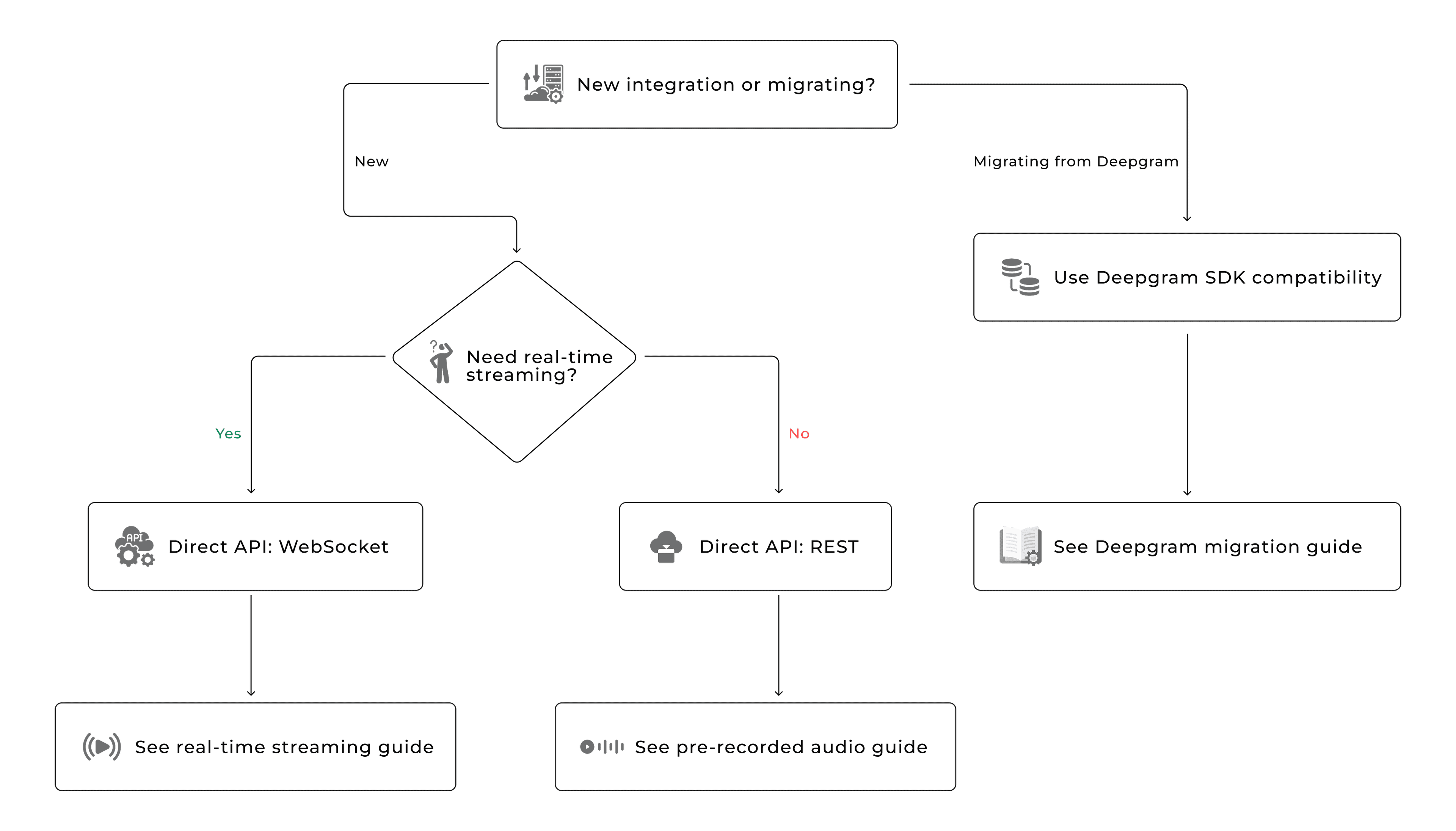
SubQ is a standard REST and WebSocket API. You call it directly with any HTTP client without requiring any proprietary SDK. If you're migrating from Deepgram, you can also reuse Deepgram SDKs by pointing them at SubQ.
Choose your approach
Use this decision map to pick the right integration path:
Endpoints and protocols
The SubQ API provides two transcription modes, each with its own protocol and use case, as shown:
| Pre-recorded | Streaming | |
|---|---|---|
| Protocol | HTTPS (REST) | WebSocket |
| Endpoint | POST https://stt-api.subq.ai/v1/listen | wss://stt-api.subq.ai/v1/listen |
| Auth | Authorization: Bearer org_... | Sec-WebSocket-Protocol: token, org_... |
| Input | Audio bytes in request body | Binary audio frames over WebSocket |
| Output | Single JSON response with full transcript | Stream of JSON messages (interim + final) |
| Use case | Files, URLs, batch processing | Live audio, real-time captioning, voice assistants |
Supported platforms
SubQ supports multiple platforms and works with any language that has an HTTP and WebSocket client.
| Platform | REST | WebSocket |
|---|---|---|
| Python | httpx | websockets |
| Node.js | fetch (built-in) | ws |
| Go | net/http | gorilla/websocket |
| Rust | reqwest | tokio-tungstenite |
| Swift (iOS) | URLSession | URLSessionWebSocketTask |
| Kotlin (Android) | OkHttp | OkHttp WebSocket |
Next steps
- Setup and installation - install dependencies and configure your API key
- Transcribe a file - send a local audio file for transcription
- Transcribe from URL - transcribe audio hosted at a remote URL
- Real-time streaming - stream audio and receive transcripts in real time
- Migrate from Deepgram - switch from Deepgram with a 2-line code change