

Get API key
Create an account and get your SubQ API key
To use the SubQ Speech-to-Text API, you need an API key. The API key is sent in the Authorization header of every request and ties your usage to your account.
Prerequisites
You need a SubQ account. If you don't already have one, create one for free.
Get your key
Follow these steps to get your API key:
- Sign in to the SubQ API platform: Go to speech.subq.ai and sign in to your account.
- Navigate to API Keys: While signed in, select API Key on the left sidebar. Your organization's API key is displayed and ready to copy.
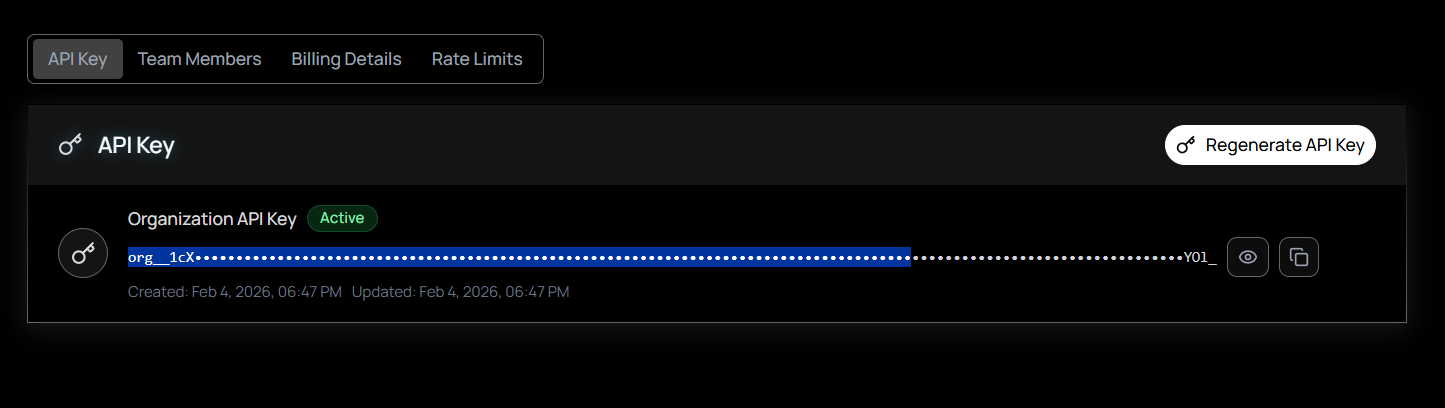
- Copy your key: Select Copy next to your key. If you need a new key, select Regenerate to replace the current one.
Never expose your API key. Store it in an environment variable or secrets manager. Do not hard-code it in client-side code, commit it to version control, or share it in public channels. If you suspect a key has been compromised, regenerate it immediately from your account settings.
Next steps
- Quickstart - make your first transcription request.